You may have seen llms.txt mentioned in every GEO article published this year, followed immediately by contradictory advice — some sources call it essential, others point out that Google explicitly said it ignores the file entirely. Both things are true, and that’s exactly why the honest answer here is more nuanced than either camp admits.
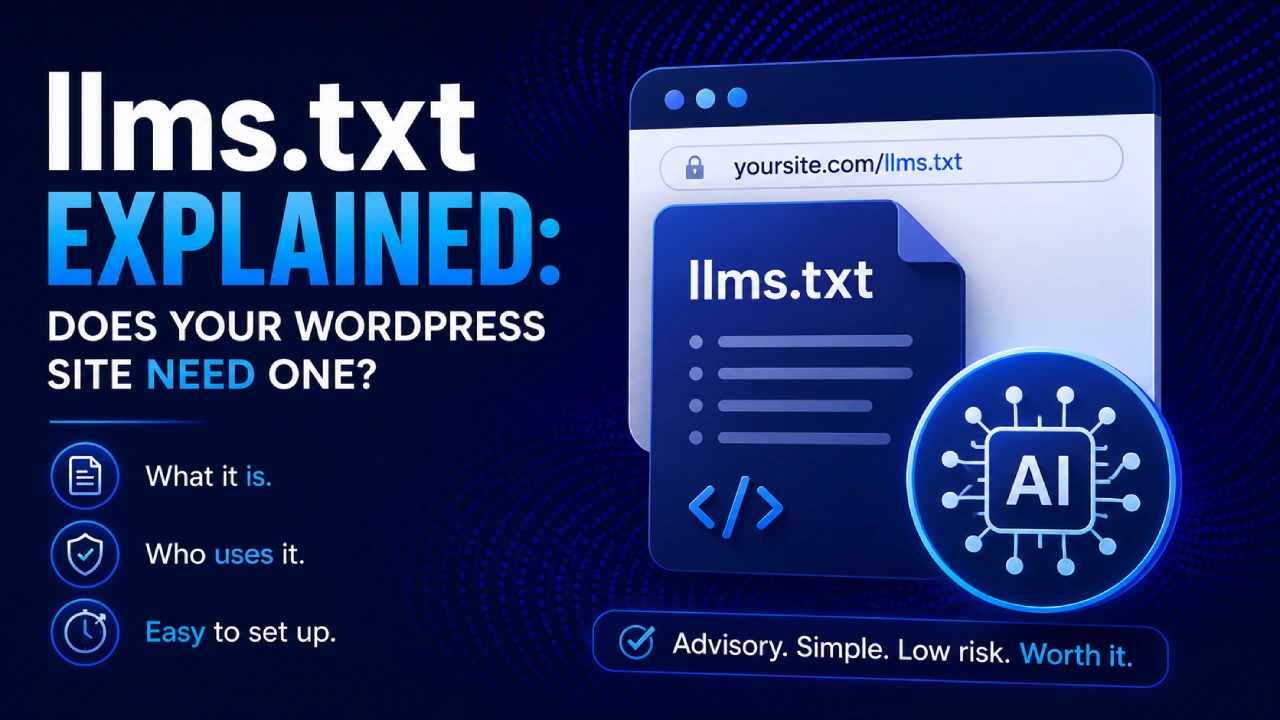
llms.txt is a plain-text markdown file placed at yoursite.com/llms.txt that tells AI systems what your site is about and which content matters most. It’s advisory, not controlling — it can’t stop any AI from accessing your content, and it can’t force any AI to cite you. Google has confirmed it ignores the file for its AI products. Evidence for other platforms is mixed and largely uncontrolled. Despite all of that, it takes about 15 minutes to set up for a WordPress site, has zero downside risk, and has one use case — AI agents — where the case for it is genuinely strong. That’s the honest cost-benefit.
This article covers what the file actually is, which AI systems do and don’t use it (with honest sourcing for each claim), what a real llms.txt file looks like, and three ways to create one for WordPress.
What llms.txt Actually Is
Before getting into whether to create one, it’s worth being precise about what the file is and isn’t — because it’s commonly confused with two other files that do completely different things.
robots.txt is an access control file. It tells crawlers which parts of your site they’re allowed to visit. A crawler that respects robots.txt will skip any URL you disallow. It’s been a web standard since 1994 and is widely followed by legitimate crawlers — though compliance among AI training crawlers is less reliable than among traditional search bots, which is a problem covered in depth in Day 7 of this series.
llms.txt is not access control. It can’t block anyone from anything. It’s a content signal — an advisory document that says “here’s what this site is, here’s what’s important, here’s where to find the good stuff.” A system that reads it learns something useful about your site. A system that ignores it accesses your site exactly the same way it would have otherwise. Nothing breaks, nothing is blocked, nothing is forced.
sitemap.xml is a structural index — it tells search engines every URL on your site, regardless of importance or content type. llms.txt is intentionally curated — you choose what to include, and you add human-readable descriptions alongside the URLs so an AI system can understand context, not just links.
The format was proposed in 2024 by Jeremy Howard, a researcher associated with fast.ai and Answer.AI, and it’s designed to be readable both by humans and by language models. It’s a Markdown file, not XML or a binary format — you can open it in any text editor and it makes sense immediately.
What llms-full.txt Is
You’ll also see llms-full.txt mentioned in most tools and plugin descriptions. The difference:
- llms.txt is a curated index — key URLs with titles and one-line descriptions. Short, fast to parse, easy to maintain.
- llms-full.txt is a full-content version — it contains the actual text of your site’s most important pages, formatted as clean Markdown, in a single file.
The idea behind llms-full.txt is that an AI system could ingest your entire most important content in one request rather than crawling page by page. Whether any major system currently does this at meaningful scale is unclear, but the format is supported by most WordPress llms.txt generators if you want to generate both simultaneously. For most WordPress bloggers, creating the standard llms.txt is sufficient — llms-full.txt becomes more useful for documentation sites, API references, or content that needs to be ingested wholesale.
The Honest Platform-by-Platform Breakdown
This is the section every other article on this topic should have but doesn’t. Here’s what’s actually known, per platform, with honest sourcing for each claim:
Google AI Overviews and AI Mode — confirmed: ignores llms.txt
Google has stated this explicitly and repeatedly. Gary Illyes confirmed at a Search Central event that if you want to rank in AI Overviews, regular SEO is what matters — “llms.txt won’t be crawled or used.” Google’s John Mueller has been equally direct: “No AI system currently uses llms.txt.” Google’s own Search Central documentation (reviewed in Day 1 of this series) specifically calls out llms.txt as something you don’t need to create for Google’s AI products.
This is the most important data point for anyone primarily optimizing for Google traffic: creating an llms.txt file will not improve your Google AI Overview visibility in any way. The case for the file has to be made on other grounds.
ChatGPT / OpenAI — conflicting evidence, no controlled proof
Some site owners have reported in their server logs that OpenAI’s crawlers visit their llms.txt files actively — one frequently cited claim is visits “every 15 minutes,” though this is anecdotal and unverified. Against this, a controlled analysis by Semrush examining server logs from mid-August to late October 2025 found zero visits to llms.txt files from GPTBot, ClaudeBot, PerplexityBot, or Google-Extended during the test period. Semrush’s conclusion: “Using llms.txt is probably not worth your time right now… None of the LLM companies like OpenAI, Google, or Anthropic have officially said they’re following these files when they crawl websites.”
Anthropic / Claude — ambiguous
Anthropic has published an llms.txt file on their own website (anthropic.com/llms.txt), which strongly suggests they’re at minimum open to the concept. However, a company choosing to publish one for their own site doesn’t confirm that ClaudeBot reads llms.txt files when crawling other sites. No official statement from Anthropic confirms that the file changes Claude’s crawling or citation behavior. The Semrush log analysis found zero ClaudeBot visits to llms.txt files during its test period.
Perplexity — no confirmed behavior
Perplexity hasn’t published guidance confirming they read or act on llms.txt. The same Semrush test found zero PerplexityBot visits to llms.txt files.
AI agents (agentic workflows, Claude Code, coding assistants, MCP tools) — the strongest legitimate case
This is the use case most llms.txt articles overlook entirely, and it’s where the file has the clearest functional purpose. When an AI agent is asked to work with a website — summarizing it, extracting information, writing about it, building integrations — it often starts by looking for a structured overview of what the site covers. An llms.txt file is exactly that overview. The agent doesn’t need to crawl 50 pages to understand the site’s scope; it reads the llms.txt and immediately has context.
As AI agents become more common in development workflows (Claude Code, Cursor, automated research pipelines), having a well-written llms.txt becomes more like having good API documentation: not everyone needs it, but the people who do need it are exactly the audience you want to help.
The Cost-Benefit for a WordPress Blogger
Given all of the above, here’s the honest assessment:
Time to create: 15–30 minutes using a plugin; longer if you’re writing it manually for the first time.
Ongoing maintenance: Low — most WordPress plugins regenerate the file automatically when content changes.
Downside risk: None. A well-formed llms.txt file cannot hurt your SEO, cannot block crawlers, cannot violate any platform’s policies, and cannot cause any ranking penalty. A poorly formed one simply gets ignored.
Upside for Google AI products: None currently confirmed.
Upside for other AI search platforms: Uncertain, uncontrolled; the controlled evidence available suggests minimal to no current effect.
Upside for AI agents and agentic workflows: Genuine and growing — as AI agents become standard tools for research, coding, and content work, a well-written llms.txt is increasingly useful for anyone interacting with your site via those tools.
Verdict: For a 15-minute investment with zero downside, creating an llms.txt is reasonable even if you’re skeptical about its current impact on AI search visibility. Frame it as infrastructure for an emerging standard rather than a proven citation booster — and be appropriately skeptical of any service or plugin claiming it will directly improve your ChatGPT or Perplexity rankings.
What a Real llms.txt File Looks Like
The format is simpler than most articles make it appear. Here’s an annotated example for a fictional WordPress GEO blog:
# WPGeoPress Blog

> Everything WordPress site owners need to know about AI search visibility,
> generative engine optimization, and making your site readable by AI systems.

## Core Guides

- [What Is Generative Engine Optimization (GEO)?](https://example.com/what-is-geo/):
  Plain-English definition of GEO, how it differs from SEO, and why it matters
  for WordPress sites in 2026.

- [Why Your WordPress Site Is Invisible to AI Search](https://example.com/wordpress-invisible-ai/):
  Diagnostic guide covering access, structure, and authority problems that prevent
  WordPress sites from being cited in AI answers.

- [The AI Visibility Score](https://example.com/ai-visibility-score/):
  A 10-checkpoint self-assessment framework for measuring site readiness and
  brand appearance in AI systems.

## How-To Articles

- [llms.txt Explained](https://example.com/llms-txt-wordpress/):
  What llms.txt is, which AI systems use it, and how to create one for WordPress.

- [AI Crawlers Guide](https://example.com/ai-crawlers-robots-txt/):
  GPTBot, ClaudeBot, PerplexityBot — which crawlers to allow, how to configure
  robots.txt, and how to check what's actually reaching your site.

## About

- [About WPGeoPress](https://example.com/about/):
  Who we are and what this site covers.
A few things worth noting in this format:
The H1 at the top is your site or brand name. The blockquote (the > line) is a one-to-two sentence description of what the site covers — this is what an AI agent reads first to understand context. Sections (H2 headings) organize your content by type. Each list item is a URL with a descriptive title and a one-sentence description of what that specific page covers.
The descriptions matter more than the structure. An AI system skimming this file is looking for enough context to know whether a given URL is worth fetching for a specific question. “GEO guide for WordPress” tells it something useful; a bare URL tells it nothing.
Three Ways to Create an llms.txt for WordPress
Option 1: Plugin (Recommended for Most Site Owners)
Several WordPress plugins generate and maintain your llms.txt automatically. The most widely used dedicated option is Website LLMs.txt (40,000+ active installs on WordPress.org), which generates both llms.txt and optionally llms-full.txt, integrates with Yoast/Rank Math/AIOSEO to automatically exclude noindex content, and regenerates on a schedule.
If you’re already using Yoast SEO, the llms.txt generator is built in as a free feature — enable it in Yoast’s site features settings and it handles the rest. AIOSEO and VigIA (covered in Day 5) also include llms.txt generation as part of their broader feature sets.
Any of these is a reasonable choice. The differences between them for a typical WordPress blog are small — pick whichever integrates with the SEO plugin you’re already using.
Option 2: Manual File Upload
If you prefer not to add another plugin, creating the file manually is straightforward:
- Open any plain text editor — Notepad on Windows, TextEdit on Mac (set to plain text mode), or a code editor like VS Code.
- Write your llms.txt content following the format shown above — H1 title, blockquote description, H2 sections with URL lists.
- Save the file as
llms.txt(plain text, not .doc or .rtf). - Upload it to your WordPress root directory — the same directory where your
wp-config.phpfile lives — via FTP or your hosting control panel’s file manager. - Verify by visiting yoursite.com/llms.txt in a browser. If the markdown content appears, it’s working.
One thing to watch: some caching plugins or hosting configurations may cache this file aggressively. If you update the file and don’t see the changes, try bypassing your cache or setting a short cache TTL for .txt files in your hosting configuration.
Option 3: Generate via functions.php (For Developers)
For sites where direct file access isn’t convenient, you can serve the llms.txt content dynamically through WordPress’s URL routing:
add_action('init', function() {
    add_rewrite_rule('^llms\.txt$', 'index.php?llms_txt=1', 'top');
});

add_filter('query_vars', function($vars) {
    $vars[] = 'llms_txt';
    return $vars;
});

add_action('template_redirect', function() {
    if (get_query_var('llms_txt')) {
        header('Content-Type: text/plain; charset=utf-8');
        echo "# Your Site Name\n\n";
        echo "> Your site description here.\n\n";
        // Add your content sections here
        exit;
    }
});
Add this to your theme’s functions.php or a site-specific plugin, then go to Settings → Permalinks and click Save Changes to flush rewrite rules. Visit yoursite.com/llms.txt to confirm it works.
What to Put In Your llms.txt
A few decisions worth making consciously:
Include: Your most important and evergreen content — cornerstone articles, key service or product pages, your About page. Content that gives AI systems a complete picture of what your site covers and who it’s for.
Exclude: Thin content, outdated posts, pages marked noindex in your SEO plugin, tag/category archives with no original content, login pages, admin areas. Most WordPress plugins that generate llms.txt handle noindex exclusions automatically.
Write descriptions that answer “what will I find if I visit this URL?” A description like “Plugin tutorial” is less useful than “Step-by-step guide to installing and configuring a page caching plugin for WordPress, including settings recommendations for shared hosting.” The more context the description provides, the more useful the file becomes for any system that reads it.
Keep it current. An llms.txt pointing to outdated or deleted content is worse than none at all. If you’re using a plugin that auto-regenerates, this is handled automatically. If you created the file manually, add a calendar reminder to review it quarterly alongside the AI visibility check-in from Day 5.
llms.txt vs. robots.txt: One Clear Distinction
Since these two files are almost universally confused with each other, and since Day 7 of this series covers robots.txt in full technical depth, here’s the one-sentence version:
robots.txt controls access — it tells crawlers what they’re allowed to visit, and legitimate crawlers follow those rules. llms.txt signals content — it tells AI systems what’s worth reading, and any system is free to ignore it entirely. These are completely different tools solving different problems, and having a well-configured robots.txt matters far more for AI visibility than having an llms.txt. Get the access layer right (Day 7) before worrying about the signaling layer (this article).
Frequently Asked Questions
What is llms.txt? A plain-text Markdown file placed at yoursite.com/llms.txt that provides a curated, human-readable overview of a website’s content for AI systems. It’s advisory — it signals what’s important, but can’t control how any AI system accesses or uses the site.
Does llms.txt help ChatGPT find my site? The honest answer is: probably not in any measurable way with current systems. The controlled evidence available — including a Semrush analysis of server logs from a 3-month period — found zero visits from major AI crawlers to llms.txt files. That could change as the standard matures, but right now there’s no reliable evidence that having the file improves citation rates in ChatGPT, Perplexity, or Claude.
Is llms.txt the same as robots.txt? No — they do completely different things. robots.txt controls crawler access (which URLs bots can visit). llms.txt signals content importance (which URLs are most valuable and why). robots.txt has enforcement — compliant crawlers follow it. llms.txt has no enforcement — any system can ignore it without any consequence.
Do I need llms.txt if I already have a sitemap? Your sitemap tells search engines every URL on your site, without prioritization or description. llms.txt tells AI systems which URLs matter most, with enough context to understand what each one covers. They serve different purposes and don’t substitute for each other — though llms.txt is far more optional than a sitemap.
Which AI systems actually use llms.txt? Currently, the clearest use case is AI agents and agentic development tools rather than mainstream AI search engines. For Google’s AI products specifically, the file is confirmed to be ignored. For ChatGPT, Claude, and Perplexity, current evidence suggests the file isn’t reliably read by their crawlers, though this may evolve as the standard matures.
Will not having llms.txt hurt my AI visibility score? It’s worth 6 points in the Day 5 Site Readiness Score framework — the minimum meaningful checkpoint, not the decisive one. Missing it doesn’t tank your score, but a well-formed file is a 15-minute improvement with no downside. If you’ve already addressed the Access and higher-value Structure checkpoints, this is a sensible next step.
Where to Go From Here
Having an llms.txt file in place completes the Content Signaling layer of your WordPress AI visibility setup. The next steps in the series are:
- AI Crawlers Guide: GPTBot, ClaudeBot, and robots.txt (Day 7) — the Access layer in full technical depth, including which crawlers to allow, how to configure robots.txt directives per bot, and the curl-based host-level check introduced in Day 4
- Answer Capsules: Writing the Self-Contained Paragraph AI Actually Cites (Day 9) — the Structure layer writing habit that makes the content in your llms.txt index worth fetching once AI systems get there
Create the file, verify it loads at yoursite.com/llms.txt, and move on. It’s infrastructure — set it up once, keep it updated quarterly, and let the more impactful work (access, content structure, third-party authority) do the heavy lifting.