Before you can improve your AI search visibility, you need to know where you actually stand — which means measuring the right things in the right order.
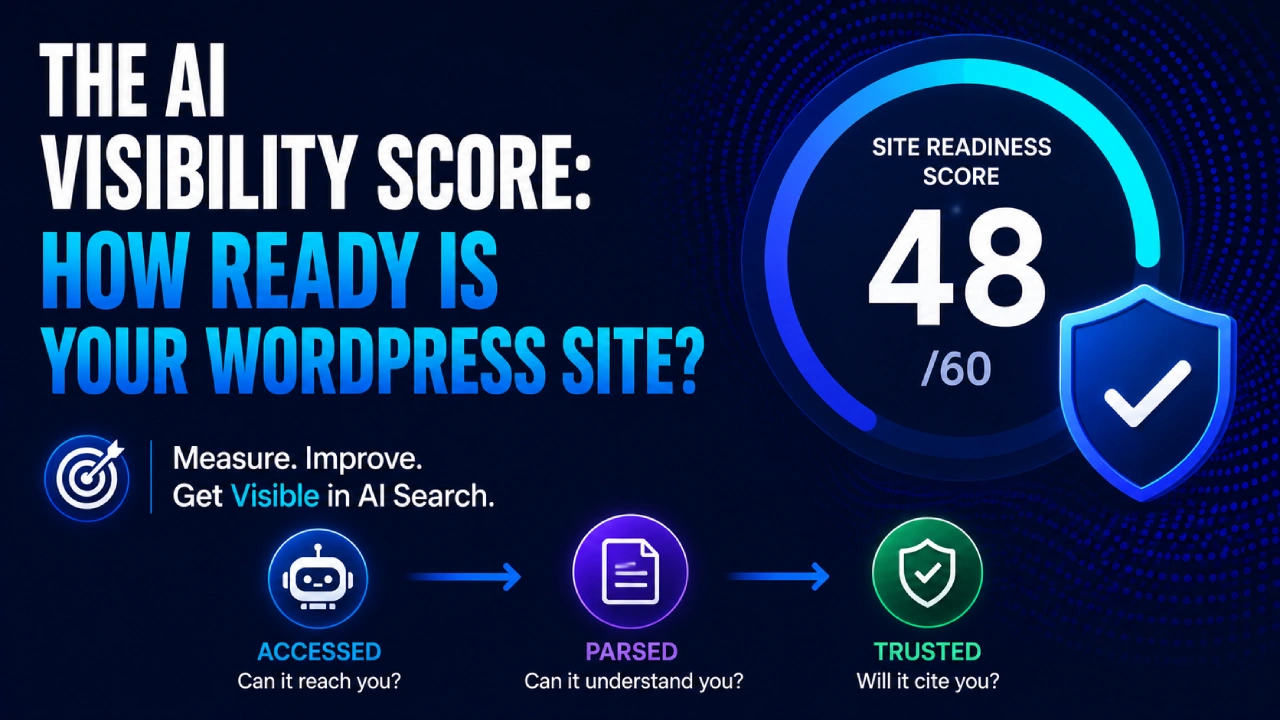
There are two completely different things people mean when they say “AI visibility score,” and conflating them is the single biggest reason WordPress site owners waste time on fixes that don’t address their actual problem. The first is a Site Readiness Score: can AI systems access, parse, and understand your site at all? The second is a Brand Appearance Score: is your brand or content actually showing up in AI-generated answers? You check them in that order, because a poor site readiness score makes your brand appearance score meaningless — if crawlers can’t reach you or parse what they find, no amount of content optimization will put you in AI answers.
This article gives you both assessments, the site readiness one as a manual 10-checkpoint framework you can complete without installing anything, and the brand appearance one as a repeatable monthly prompt-based audit. Together they tell you where you stand and what to fix first.
The Two Types of AI Visibility Score
Most AI visibility tools measure only one of these, and they’re solving different problems:
| Site Readiness Score | Brand Appearance Score | |
|---|---|---|
| What it measures | Can AI crawlers reach, parse, and trust your site? | Is your brand/content actually showing up in AI answers? |
| When to check | First — before anything else | Second — after confirming readiness |
| How to check | Audit your own domain’s technical setup | Query ChatGPT, Perplexity, and Gemini directly |
| What it tells you | What to fix on your site | Whether your GEO work is producing results |
| Tools for WP | VigIA, Opttab, Aenima, WPGeoPress | Rank Math AI Visibility, SEO Review Tools |
| Can I do it free? | Yes — the checklist below | Yes — manually, with copy-pasteable prompts |
A high brand appearance score with a low site readiness score is a coincidence, not a strategy — you’re being cited despite your setup, not because of it, and it won’t scale. A high site readiness score with a low brand appearance score is normal for a newer or lower-authority site; it means the floor is solid and the growth is a matter of time and content, not broken infrastructure.
Part 1: Your Site Readiness Score (0–60 Points)
This is the assessment you run on your own site. No tool required — just a browser, your WordPress dashboard, and ten minutes. Work through each checkpoint, award yourself the points if it passes, and note anything that fails for fixing.
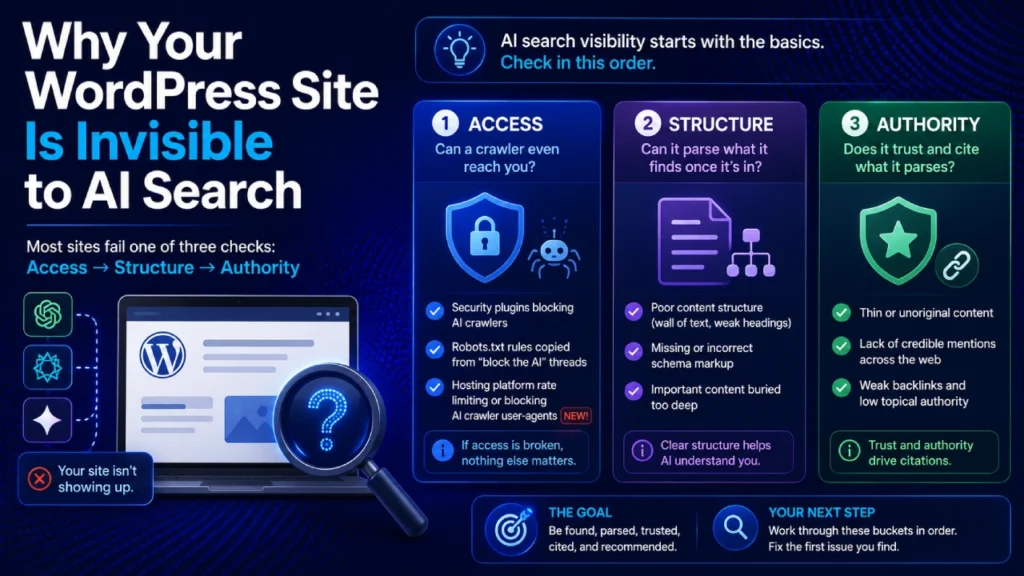
The 10 checkpoints map directly to the Access → Structure → Authority triage framework from Day 4 of this series.
Access Checkpoints (0–21 points possible)
Checkpoint 1 — Robots.txt is not blocking AI crawlers (8 points)
Visit yoursite.com/robots.txt directly in a browser. Look for any “Disallow” rules that mention AI crawler user-agents: GPTBot, ClaudeBot, ClaudeBot, PerplexityBot, Amazonbot, anthropic-ai, ChatGPT-User. If any of these appear under a Disallow directive, score 0 for this checkpoint.
This checkpoint carries the highest point weight because it’s the most decisive — a blocked crawler cannot reach anything else you’ve optimized.
Score: 8 points if no AI crawler user-agents are disallowed, 0 if any are.
Checkpoint 2 — Key content is present in raw HTML (7 points)
Pick your most important page or post. Right-click → View Page Source (not the browser inspector — the actual raw source). Scroll through the HTML and confirm your main body text is actually there as readable text, not empty <div> containers waiting to be filled by JavaScript. If you use Elementor, Divi, WPBakery, or another visual builder, this is worth checking carefully — content rendered client-side can be invisible to non-JS-executing crawlers.
Score: 7 points if your primary content is present in raw HTML, 0 if key sections are missing.
Checkpoint 3 — Site loads with no critical errors (6 points)
Visit your site in a browser. Check that pages load without server errors (500 errors, database connection failures, white screen of death). Also check Google Search Console or your hosting dashboard for any crawl coverage issues affecting a significant portion of your site. A site with intermittent downtime or recurring server errors is an unreliable source from an AI system’s perspective.
Score: 6 points if the site loads cleanly and consistently, partial credit (3 points) if occasional errors exist, 0 for frequent or blocking issues.
Structure Checkpoints (0–24 points possible)
Checkpoint 4 — Author information is visible and consistent (6 points)
Check your most-read posts. Is there a visible author bio — real name, brief credentials or expertise description, ideally a photo? Check that this matches how the author is described on your About page and anywhere else on the site. Anonymous or inconsistent authorship is a meaningful gap in the E-E-A-T signals AI systems weigh when deciding how confidently to attribute a claim.
Score: 6 points for visible, consistent author information across posts, 3 for partial (bio exists but minimal/inconsistent), 0 for none.
Checkpoint 5 — Opening paragraphs answer questions directly (6 points)
Pick three posts from your site and read only the first two paragraphs of each. Ask yourself: does each one contain a direct, complete answer to its implied question, or does it build up context before getting to the point? An opening paragraph that gives the answer first, then expands on it, is structured for AI extraction. One that spends two paragraphs on background before the first useful claim is not.
Score: 6 points if most posts answer directly in the opening, 3 if mixed, 0 if your content consistently delays the answer.
Checkpoint 6 — Schema/structured data is present (6 points)
Use Google’s Rich Results Test (search.google.com/test/rich-results) and enter your site’s homepage and one post URL. Check whether any schema types are detected. Article schema, Organization/Person schema, and FAQ schema are particularly relevant for GEO purposes. You don’t need a perfect schema setup — any meaningful structured data present is a signal worth having.
Score: 6 points for schema present on both home and posts, 3 for homepage only or partial, 0 for none detected.
Checkpoint 7 — An llms.txt file exists (6 points)
Visit yoursite.com/llms.txt. If a file loads with a description of your site and links to key content, this checkpoint passes. If it returns a 404, it doesn’t exist yet. This is a newer signal — not every AI platform uses it today — but its presence signals deliberate AI-readiness. Day 6 of this series covers what to put in this file and how to generate it for WordPress specifically.
Score: 6 points if a valid llms.txt file exists, 0 if absent.
Authority Checkpoints (0–15 points possible)
Checkpoint 8 — Third-party mentions exist for your brand or niche (6 points)
Open a fresh browser tab and search for your brand name or site name in Google. Look at the results — do any come from sites that aren’t yours? Reviews, forum mentions, guest posts, directory listings, news mentions. Then try a search for your main topic plus “recommended” or “review” and see whether your name appears in results you didn’t create. Third-party mentions are the consensus signal from Day 3 — AI systems weight agreement across sources, and your own domain is one vote.
Score: 6 points for multiple meaningful external mentions, 3 for one or two light mentions, 0 for none found.
Checkpoint 9 — Entity information is consistent across platforms (5 points)
Check your site’s “About” description against your LinkedIn profile, any Google Business profile you have, and any directory listings you’re aware of. Does your brand/site description say the same thing — same core topic focus, same expertise framing — across all of these? Inconsistency between how you describe yourself in different places reduces the confidence AI systems can have about what you are and what you cover.
Score: 5 points for consistent descriptions across at least 3 platforms, 2 for one or two inconsistencies, 0 for significantly contradictory descriptions.
Checkpoint 10 — Content publishing is consistent and topically focused (4 points)
Look at your last 20 published posts. Are they clearly related to a defined set of topics, or are they scattered across many unrelated subjects? A site with a consistent publishing focus around a few related themes is easier for AI systems to categorize and cite with confidence for specific topics than a site that publishes broadly with no clear center of gravity.
Score: 4 points for a clear topical focus across recent posts, 2 for somewhat mixed, 0 for no discernible topical consistency.
Score Benchmarks
| Score | Grade | What It Means |
|---|---|---|
| 50–60 | Strong | Your site’s AI-readiness fundamentals are solid. Focus shifts to brand appearance and content optimization. |
| 35–49 | Moderate | Most of the structure is there but 2–4 meaningful gaps. Prioritize whichever Access checkpoints you failed first. |
| 20–34 | Developing | Several significant gaps, likely including structural ones. Work through the Access checkpoints before anything else. |
| 0–19 | Critical | Multiple foundational issues. Start with Checkpoint 1 (robots.txt) and Checkpoint 2 (raw HTML content) before any other GEO work. |
What does an average WordPress site score? Most well-maintained WordPress blogs with standard SEO plugins installed score in the 28–42 range on this framework — not because of catastrophic failures, but because Checkpoints 4 (author info), 7 (llms.txt), 8 (third-party mentions), and 9 (entity consistency) are frequently untouched. None of those are hard to improve; they’re just never explicitly surfaced as priorities until something like this framework makes them visible.
Part 2: Your Brand Appearance Score (Manual, Free)
Once site readiness is confirmed, the second measurement is whether your content is actually showing up in AI answers for your niche. This is a manual check — no tool required — but it needs to be done in a specific way to be useful.
The prompt-based self-audit (copy-pasteable):
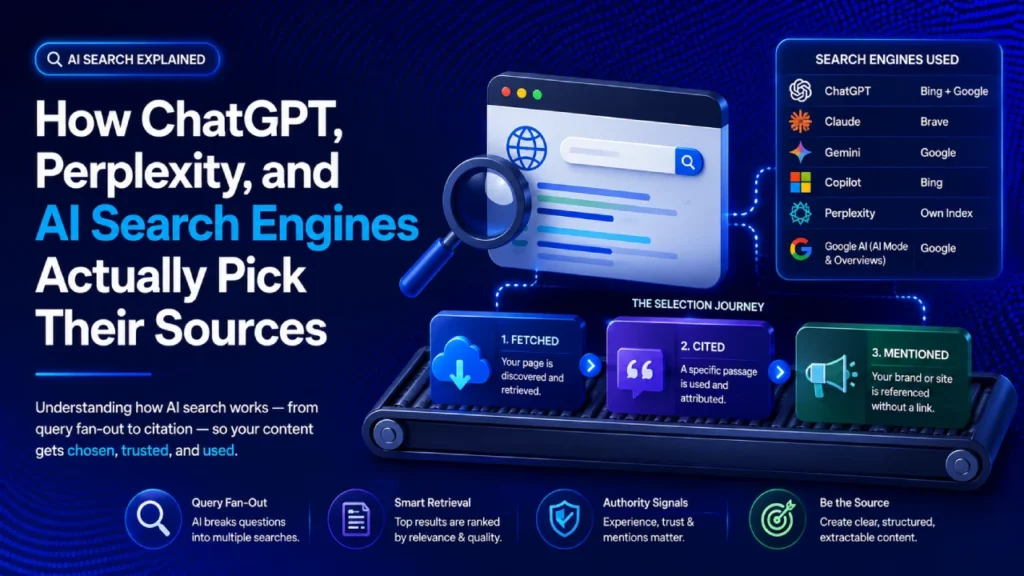
Open a fresh, logged-out session in ChatGPT (with search/browsing enabled) and Perplexity. Run all five prompt templates below, once in each platform. For each response, note three things: (1) does your brand/site/name appear at all, (2) if it does, is it a direct citation with a source link or a passing mention, and (3) which of your competitors appear that you don’t.
Prompt 1 — Category recommendation: “What are the best [your main topic] resources or sites for [your target audience]?”
Prompt 2 — Specific question your content answers: “[Exact question your best-performing post answers]”
Prompt 3 — Comparison or “best” query in your niche: “What’s the best [specific thing you cover] for [specific use case]?”
Prompt 4 — Brand name direct lookup: “What is [your brand/site name] and what does it cover?”
Prompt 5 — Topic + credibility: “Who are the most reliable sources for information about [your primary topic]?”
Scoring your results:
For each prompt, award:
- 2 points — cited with a source link (the citation outcome from Day 3)
- 1 point — mentioned by name without a direct citation
- 0 points — not mentioned at all
Maximum possible: 10 points per platform, 20 points across both.
What counts as a good brand appearance score? For a newer site (under 2 years, under 50 posts), scoring 2–4 out of 20 is normal and not a failure — it reflects the authority and time factors from Day 4’s Bucket 3, not a site-level problem. For an established site with strong topical authority, 8–14 out of 20 is a reasonable expectation. Scores above 14 typically reflect sites with significant third-party mention volume and consistently extractable content. Scores of 0 on a site that passes the readiness checklist above point to an authority-layer issue — the site is reachable and parseable, but hasn’t yet built the cross-web consensus that earns confident citation.
Plugin Tools That Automate Both Scores
Running this manually once is useful; having it update automatically is better. Here’s an honest roundup of the WordPress-specific tools relevant to each type of score:
For Site Readiness (automated on-site analysis):
VigIA (free, WordPress.org) is currently the most complete WordPress-native site-readiness scorer available. Its 20-check, 100-point system covers most of what the manual framework above audits, plus additional technical checks like TTFB measurement and markdown endpoint availability. The 5-category breakdown (Access & AI Discovery, Structured Data, Content Structure, AI Interaction, Access Performance) maps cleanly to the Access/Structure layer. 1,000+ active installs, 16 five-star reviews, actively maintained as of mid-2026. Doesn’t measure brand appearance (whether you’re showing up in AI answers) — that’s a different tool category.
Opttab (free, WordPress.org) offers local GEO scoring with no outbound API calls — useful if data privacy is a priority. Thinner methodology and fewer installs than VigIA; reasonable as a starting point but less transparency into what each component measures.
For Brand Appearance (tracking mentions in AI answers):
Rank Math AI Visibility (paid, starts ~€6/mo) tracks brand mentions, citations, sentiment, and competitor comparison directly inside the WordPress dashboard — the only major SEO plugin for WordPress that combines traditional SEO tools with cross-platform AI brand tracking. Best option for WordPress users who want ongoing automated brand-appearance measurement without logging into a separate platform. Doesn’t audit on-site readiness.
SEO Review Tools AI Visibility Checker (free trial, browser-based) doesn’t require a WordPress installation and checks brand awareness, sentiment, and credibility across Gemini, ChatGPT, and Perplexity simultaneously — useful for a quick cross-model check without committing to a monthly subscription. Less granular than Rank Math for ongoing tracking.
How to Prioritize Fixes Based on Your Score
A score without a next step is just a number. Here’s how to translate your results into a sequenced action plan:
If you scored below 28 on Site Readiness: Access is your only priority right now. Failed Checkpoint 1 (robots.txt blocks) → fix before anything else. Failed Checkpoint 2 (JS rendering) → investigate your page builder or theme setup. Failed Checkpoint 3 (site errors) → resolve server or plugin conflicts. Nothing else in this series — no llms.txt, no content restructuring, no brand monitoring — is worth doing until these pass.
If you scored 28–42 on Site Readiness: You have a working foundation. Look at which checkpoints failed within Structure (Checkpoints 4–7). Checkpoint 7 (llms.txt) is addressed fully in Day 6. Checkpoint 5 (direct opening paragraphs) is addressed in Day 9. Checkpoint 4 and 6 are shorter fixes you can implement this week.
If you scored above 42 on Site Readiness: Your infrastructure is solid. Shift attention to brand appearance. If your brand appearance score is low despite good site readiness, the gap is almost always Checkpoint 8 (third-party mentions) — you need more cross-web presence, which is a content distribution and community presence effort rather than a technical one.
Your Monthly AI Visibility Check-In (30 Minutes)
The scores above are snapshots. AI search visibility shifts month to month — citation sets change, platforms update, new competitors appear in answers where you weren’t watching. A simple monthly habit keeps your picture current without becoming a second full-time job:
Week 1 of every month:
- Re-run the 5 brand appearance prompts above in ChatGPT and Perplexity and note any changes from last month
- Check Google Search Console’s Generative AI performance report for any notable impression or click shifts
- Run a quick site health check (WordPress dashboard → Site Health) to catch any new plugin conflicts or server issues that could affect crawlability
Quarterly (every 3 months):
- Re-run the full 10-checkpoint Site Readiness Score to catch any regressions (plugin updates and hosting changes can silently shift access settings)
- Update your llms.txt file to reflect any significant new content or topic expansions
- Review your top 5 posts and check whether opening paragraphs still give a direct, front-loaded answer
This is a 30-minute monthly investment, not a system overhaul. The goal is catching regressions early and tracking whether specific improvements you made (adding author bios, restructuring openings, adding llms.txt) are reflecting in your brand appearance score over time.
Frequently Asked Questions
How do I check my AI search visibility for free? The Site Readiness Score framework in this article requires no tools — just a browser and your WordPress dashboard. For brand appearance, the five prompt templates above work in the free version of ChatGPT (with search enabled) and Perplexity, which is free by default. For automated tracking, VigIA and Opttab both offer free tiers on WordPress.org.
What score should my WordPress site aim for? For site readiness, aim for 42+ as a baseline — that means no access failures and most structural checkpoints passing. Scores above 50 reflect a genuinely well-configured site. For brand appearance, realistic targets depend heavily on your site’s age and authority; prioritizing readiness before worrying about appearance scores is the right order of operations.
How often should I check my AI visibility score? Run the full site readiness assessment quarterly, and the brand appearance prompt check monthly. More frequent checks add noise without adding signal — AI citation sets shift, but not so fast that weekly monitoring changes your strategic decisions.
Is there a single number that captures my total AI visibility? Not one that’s meaningful across both dimensions. A combined score would weight site readiness and brand appearance as if they were equivalent, but a low site readiness score is an immediate problem while a low brand appearance score on a new site is normal. The two-score framework in this article exists specifically because collapsing them into one number hides which problem you actually have.
Do I need a paid plugin to improve my AI visibility score? No. Every checkpoint in the Site Readiness Score can be improved without any paid tool. The fixes are either configuration changes (robots.txt, author bios, schema via a free plugin), content writing habits (direct opening paragraphs), or time/effort investments (building third-party mentions). Paid tools help you monitor your scores over time automatically — they don’t create the readiness, they measure it.
Where to Go From Here
You now have a score and a priority order. The next articles in this series go deep on the specific fixes:
- llms.txt Explained (Day 6) — Checkpoint 7 in full: what to put in the file, how to generate it for WordPress, whether it actually matters for each platform
- AI Crawlers Guide: GPTBot, ClaudeBot, and robots.txt (Day 7) — Checkpoint 1 in full: exactly which crawlers to allow, how to audit your robots.txt, and the hosting-level checks from Day 4
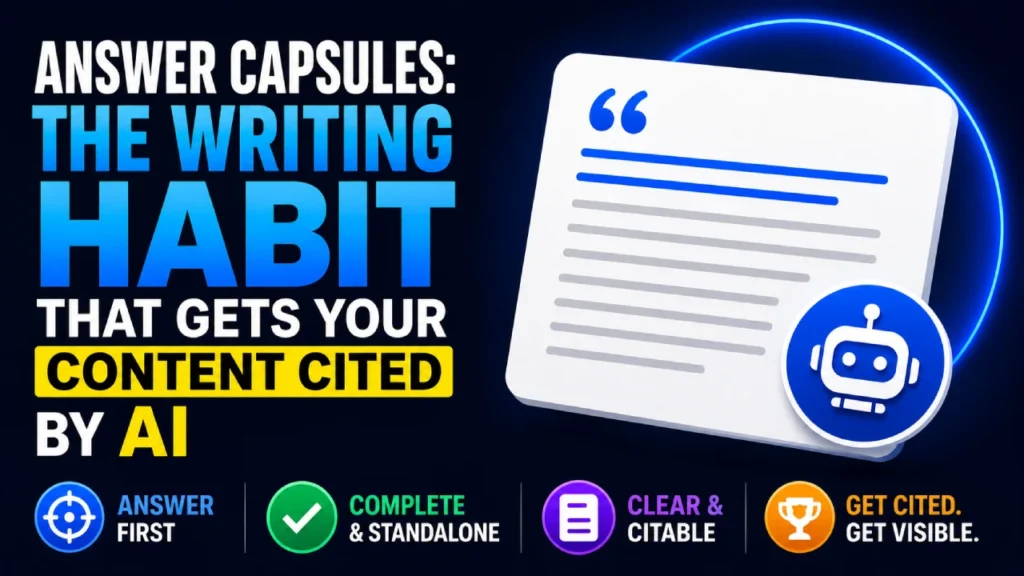
- Answer Capsules (Day 9) — Checkpoint 5 in full: a repeatable writing habit for opening paragraphs that get extracted
A score without a plan is just trivia. Work through the failed checkpoints in Access order first, then Structure, then Authority — and re-run the assessment each quarter to confirm the floor is holding as you build.